
Lift Recorder · Gym camera for Android
Record your lifts without pausing your music
Lift Recorder is a free Android gym camera that keeps your music playing by default, and lets you tag each set with the exercise, weight, reps and RPE.
- Free
- Android 7.0 or newer
- No account
- No servers
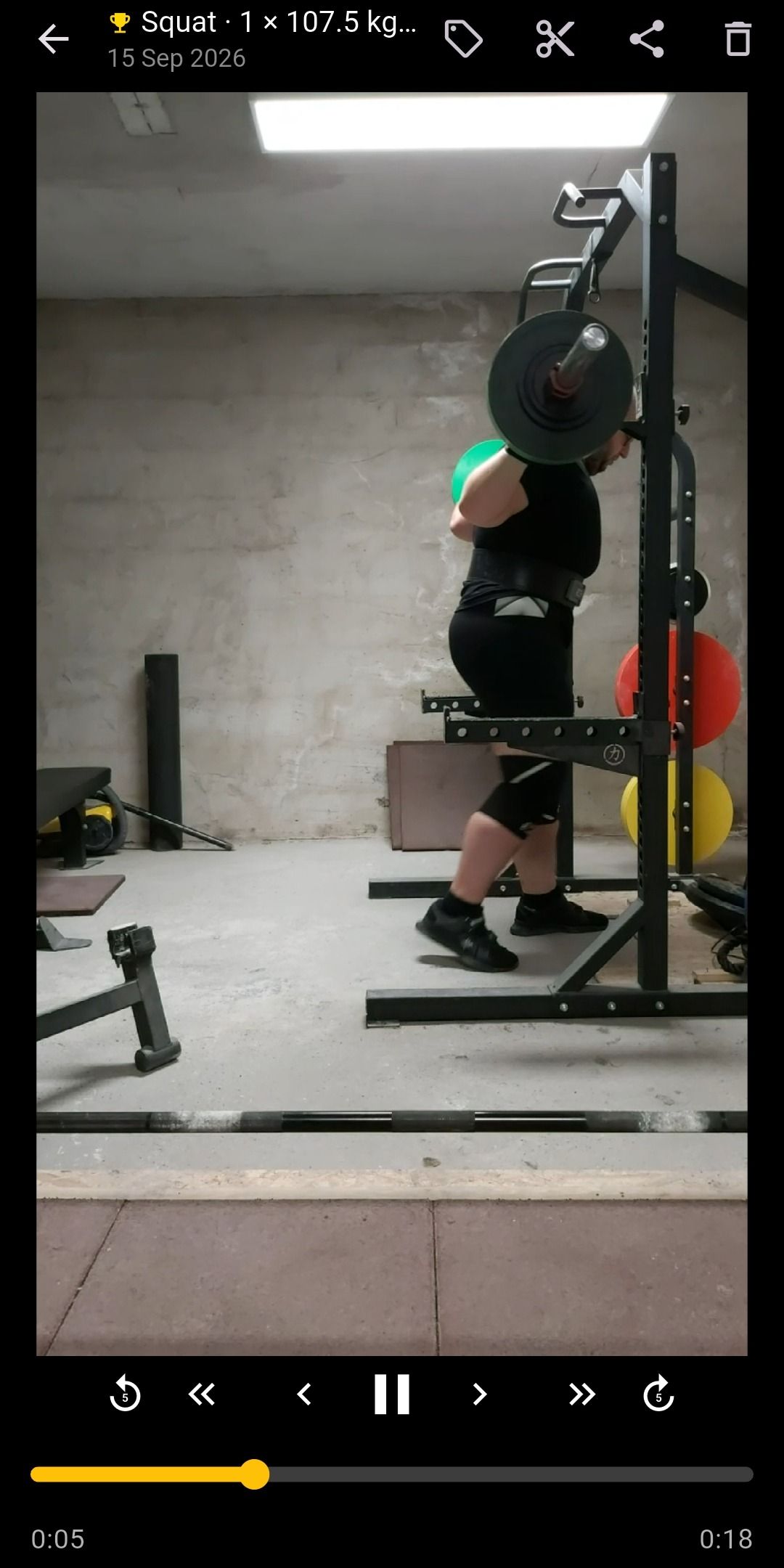
Music
Your music keeps playing while you film
Lift Recorder records video with sound off by default. With sound off, it never opens the microphone, so Spotify, YouTube Music, a podcast or an audiobook keeps playing through every set and every rest.
Why recording video can stop your music
Android shares sound between apps through audio focus. An app that records video with sound opens the microphone and typically asks for audio focus too, so other audio doesn’t bleed into the clip. Music apps take that request as their cue to pause or turn down.
Sound off (default): the microphone stays closed, so your music keeps playing.
Sound on: the microphone opens while you record. On some phones, music pauses or gets quieter.
What Lift Recorder does instead
- With sound off, the microphone stays closed, the camera never asks for audio focus, and the clip has a video track only.
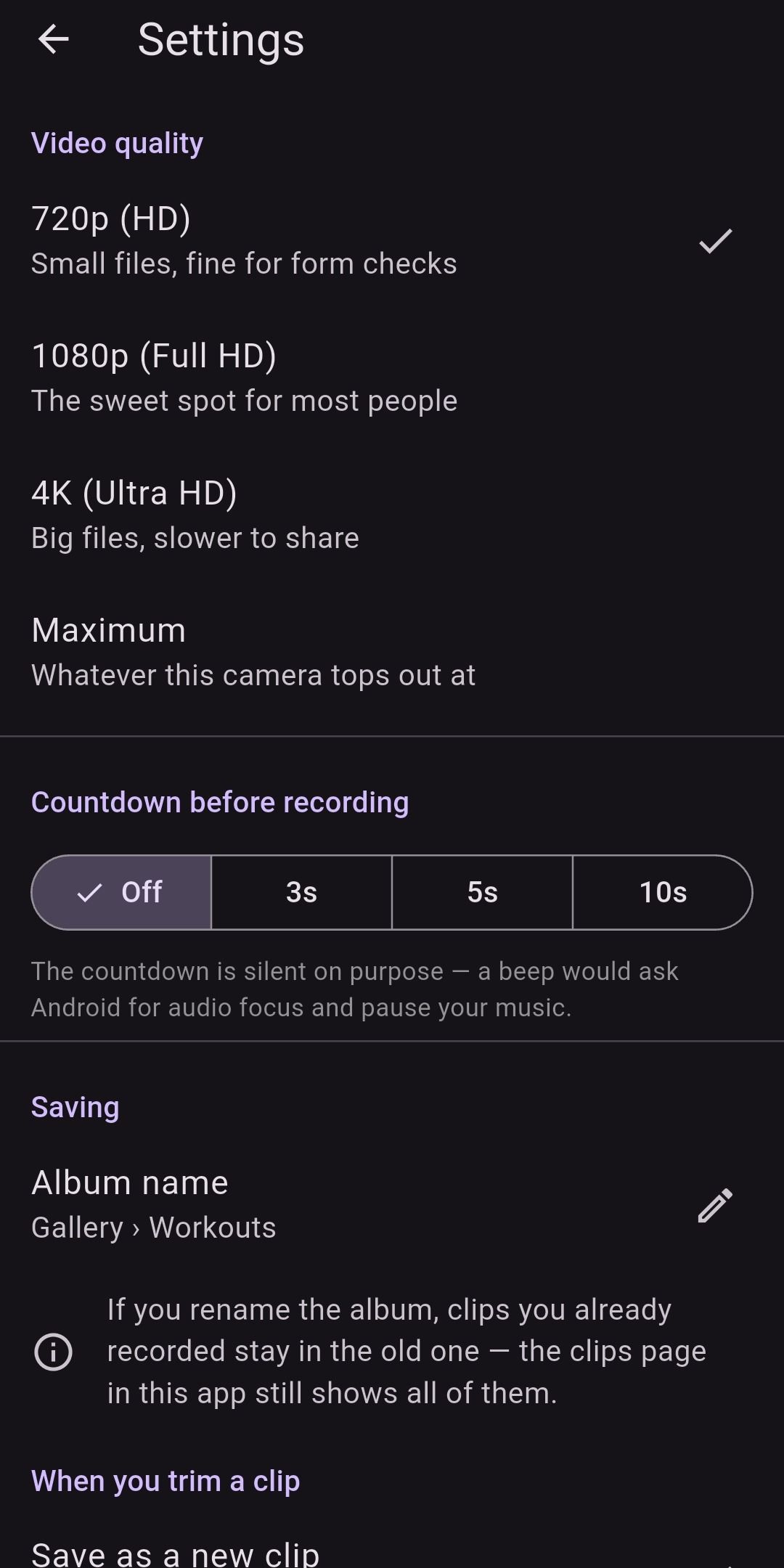
- The optional countdown is silent on purpose: a beep would ask for audio focus and pause your music.
- Watching or trimming a clip in the app doesn’t ask for audio focus either. Clips recorded with sound start muted.
Sound, when you want it
Want the clank of the plates on the clip? Tap the mic button on the camera, or turn on Record sound in Settings. Lift Recorder asks for microphone access only when sound is on, and warns you first that some phones pause or lower your music while it is on.
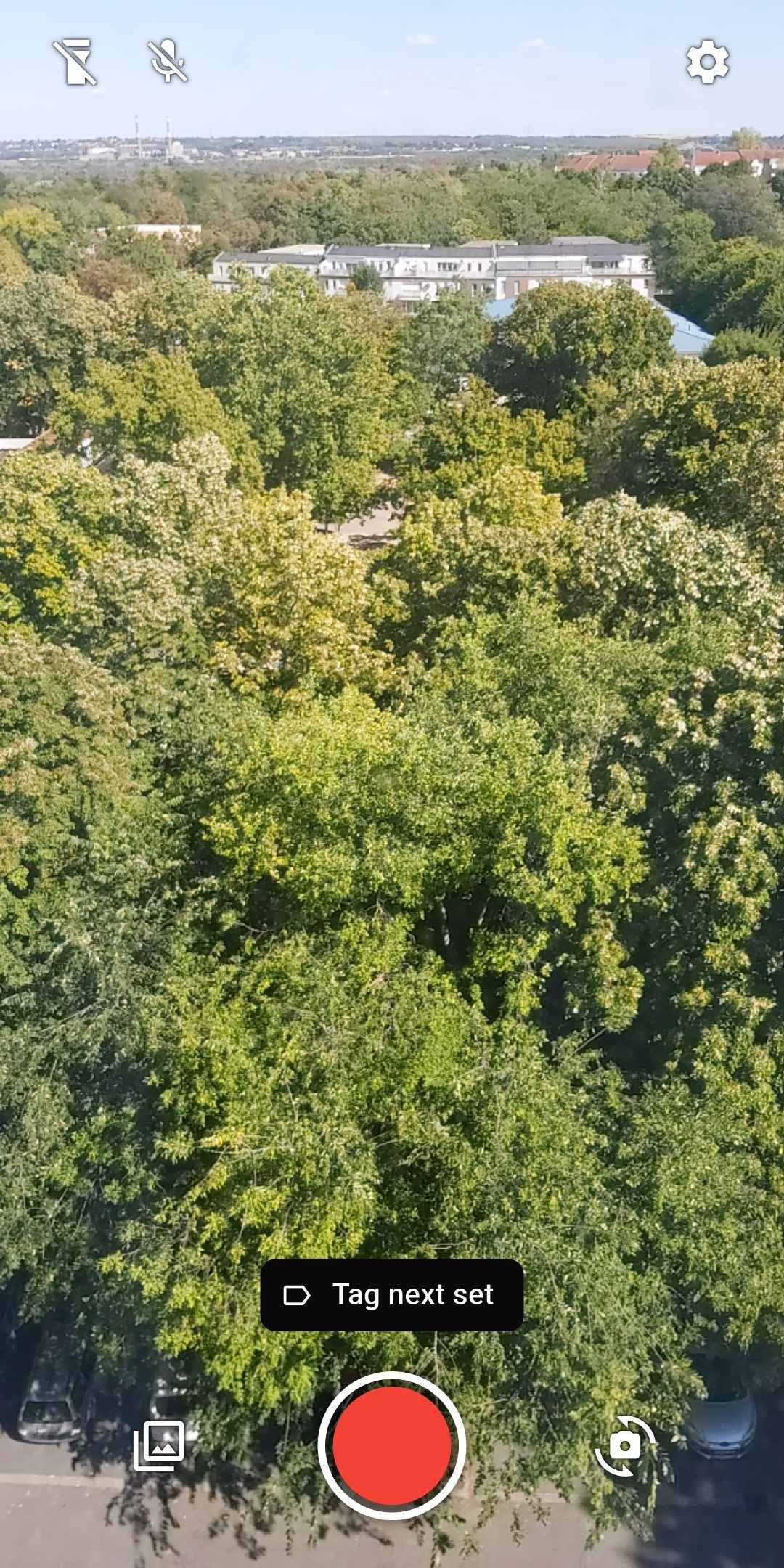
Tagging
Tag every set as you film it
Set the Next set chip above the record button, for example Squat · 5 × 120 kg · RPE 8, and each recording is tagged as it saves. The tag carries over until you change it, so a run of work sets needs no retyping.
- Squat, bench press and deadlift are built in. Add your own exercises, and rename or delete them in Settings.
- Weight in kg or lb, with quick 2.5 kg or 5 lb steps. Reps from 1 to 99. RPE from 6 to 10 in half steps.
- Forgot to tag a set? Add or fix the tag from the saved message, or while watching the clip.
- Tags are kept in the app, not written into the video file, so sharing a clip doesn’t share its tag.
Personal records
Personal records, built from your tags
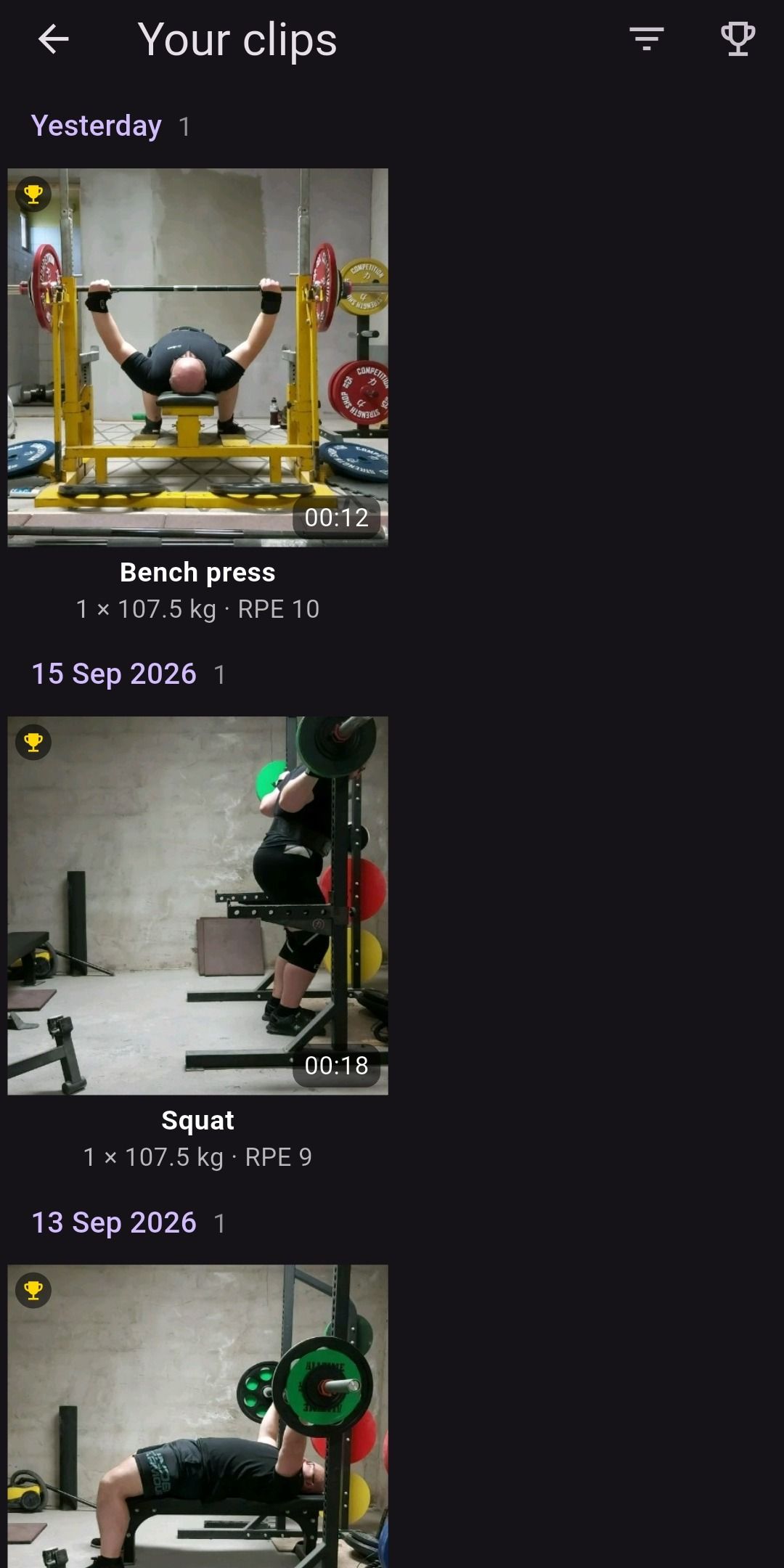
A gold trophy marks every set that no other set beats: nothing at least as heavy for at least as many reps. For an exact repeat, the first set keeps it. Trophies move on their own as you get stronger, and every record is a set you actually lifted, not an estimate.
Record: 1 × 107.5 kg – Heaviest single
Record: 3 × 10⁵ kg – Nothing heavier for 3 or more reps
Not a record: 3 × 100 kg – 3 × 10⁵ kg beats it
Record: 5 × 100 kg – Most reps at 100 kg
- A set counts once it has an exercise, a weight and reps. RPE is optional.
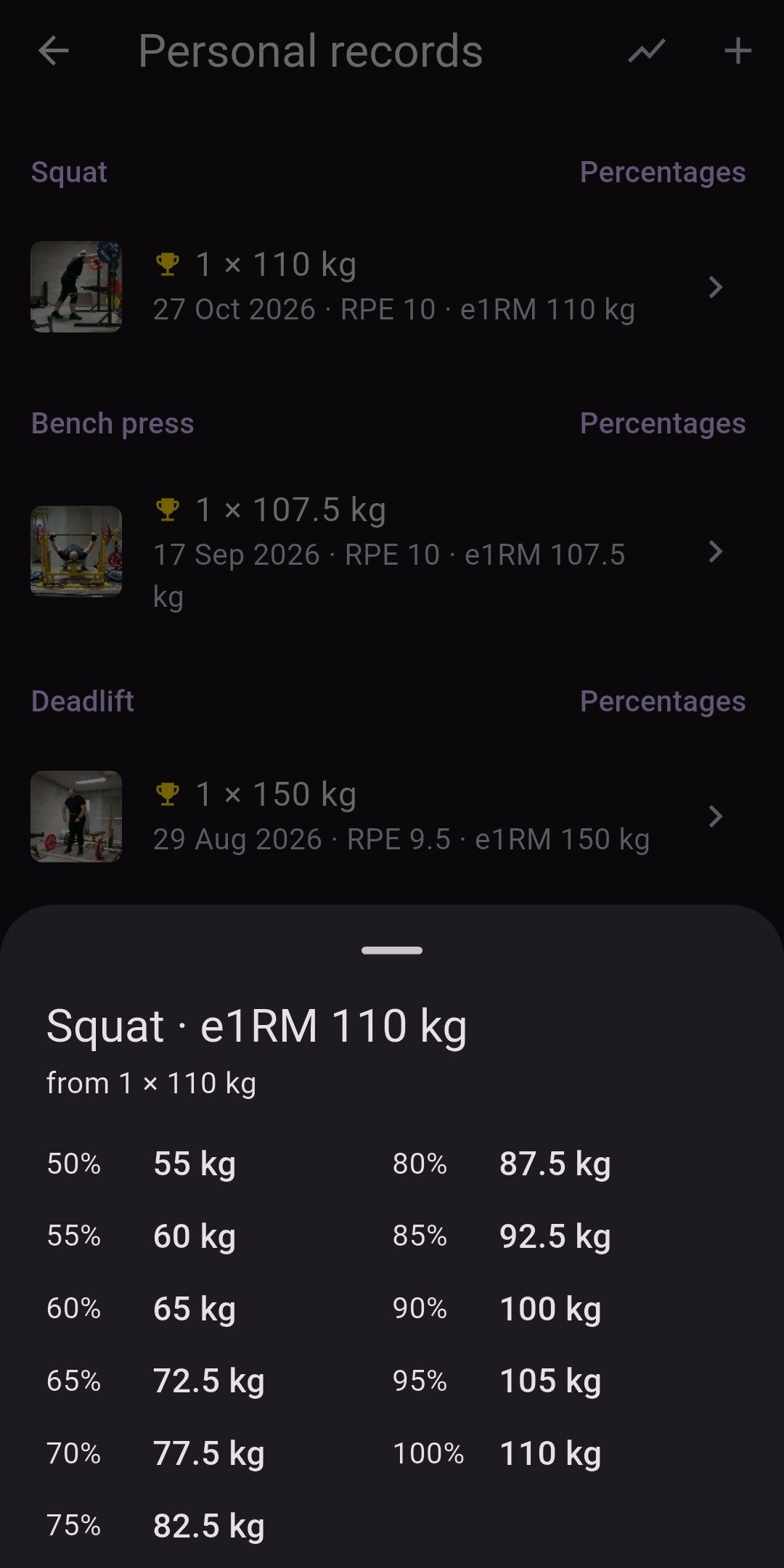
- The Personal records screen lists your records for each exercise, sorted by reps. Tap a filmed record to watch the lift.
- Add lifts from before you had the app, with or without a date, so old records still count.
- Every record shows an estimated one-rep max (Epley, up to 12 reps). Lift Recorder Pro adds a 50–100% table per exercise, rounded to 2.5 kg or 5 lb, for planning the next block.
Progress · Pro
See the trend, not just the record
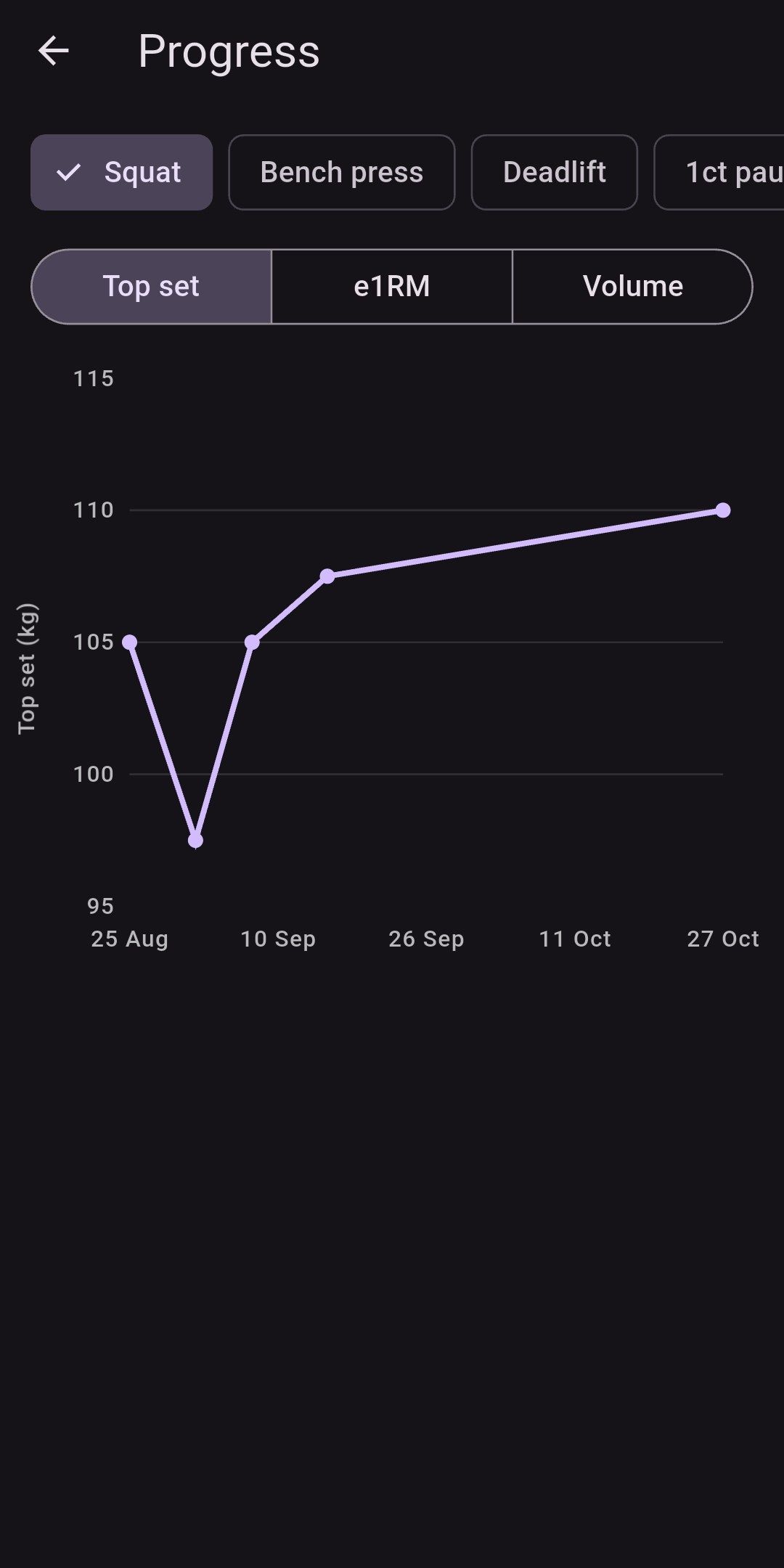
Every tag you add is a data point. Lift Recorder Pro turns them into a chart per exercise: your top set, your estimated one-rep max, your volume or your bar speed over time, with the set behind every dot.
- Reached from the Personal records screen. Pick the exercise, switch between top set, e1RM and volume, and hold a dot to see the set.
- Without Pro you still see the last 30 days, so the chart is never an empty promise.
- Export and backup. Your sets and records as CSV for a spreadsheet or a coach, and a backup file you can restore on a new phone. Nothing is uploaded; you keep the file.
A training log you didn’t have to type
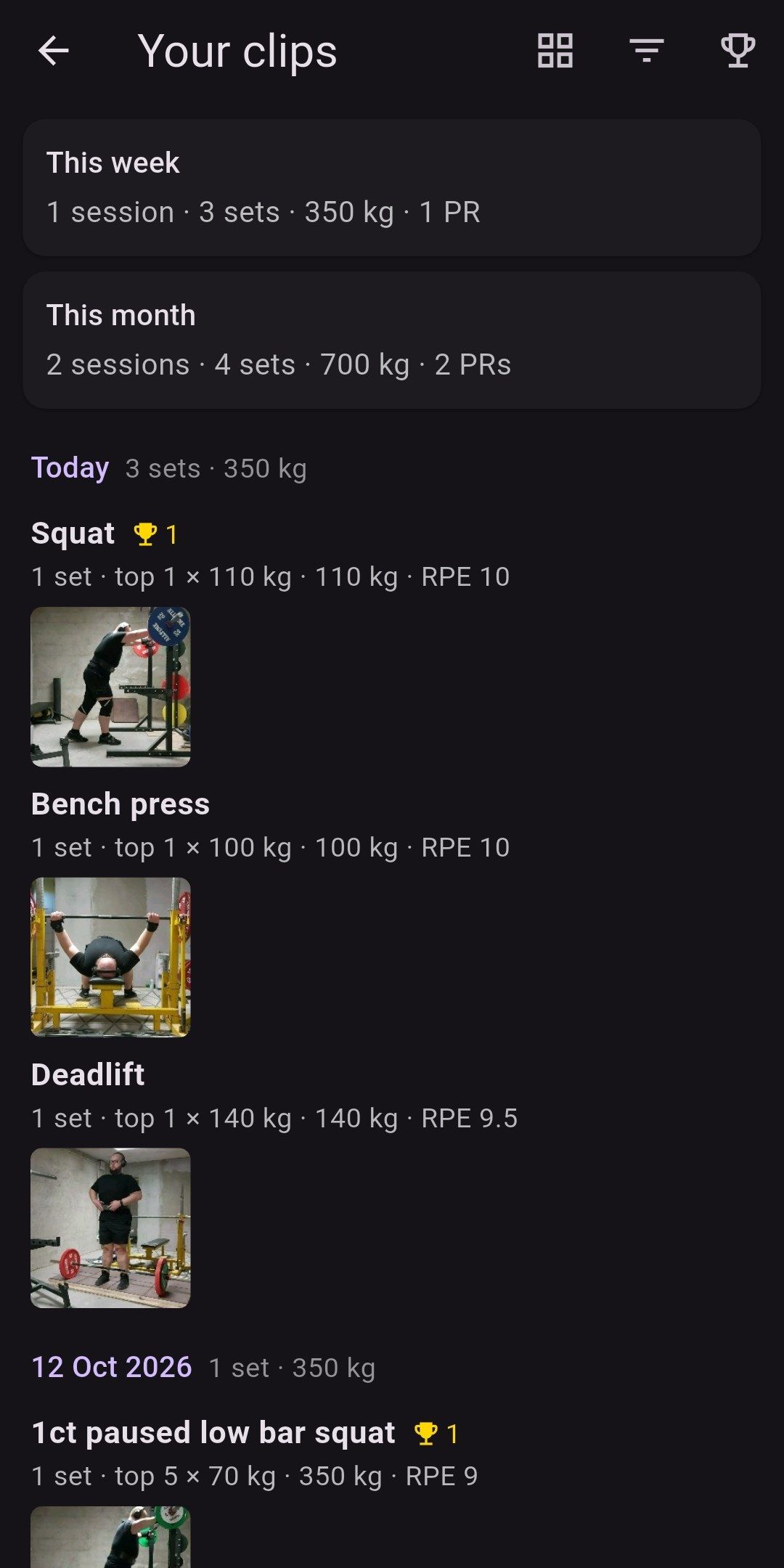
Switch the clips screen to the session log and the same clips read as a logbook: each day’s sets per exercise, the top set, the volume, the average RPE and the records set that day, with week and month totals at the top and a thumbnail for every set. Filters narrow the log the way they narrow the grid.
Add a note to any clip (“belt, no sleeves, slow off the chest”) and it stays with the clip, in the app, never in the video file.
Clips
Find any set
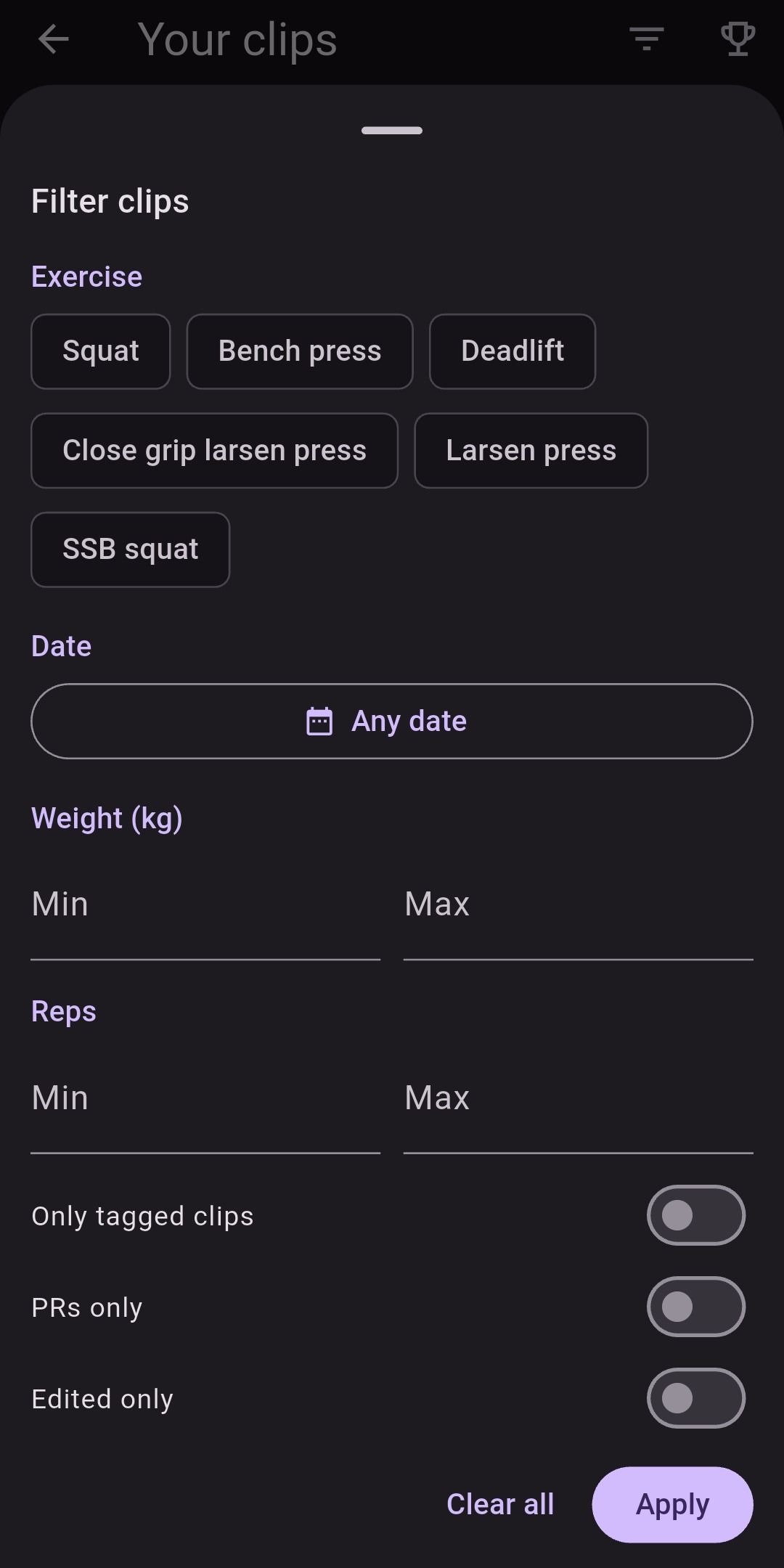
Clips are grouped by day in a two-column grid, with each tagged clip’s exercise, weight, reps and RPE under its thumbnail. Small badges show which clips hold a record, were trimmed or have sound.
- Filter by exercise, date range, weight and reps, or show only tagged clips, PRs or edited clips.
- Tracking progressive overload? Filter to one lift and scroll back through the weeks, with the numbers on every clip.
Form review
Check your form, frame by frame
The player is built for form checks: stop on the exact frame where the bar slows, then look closer.
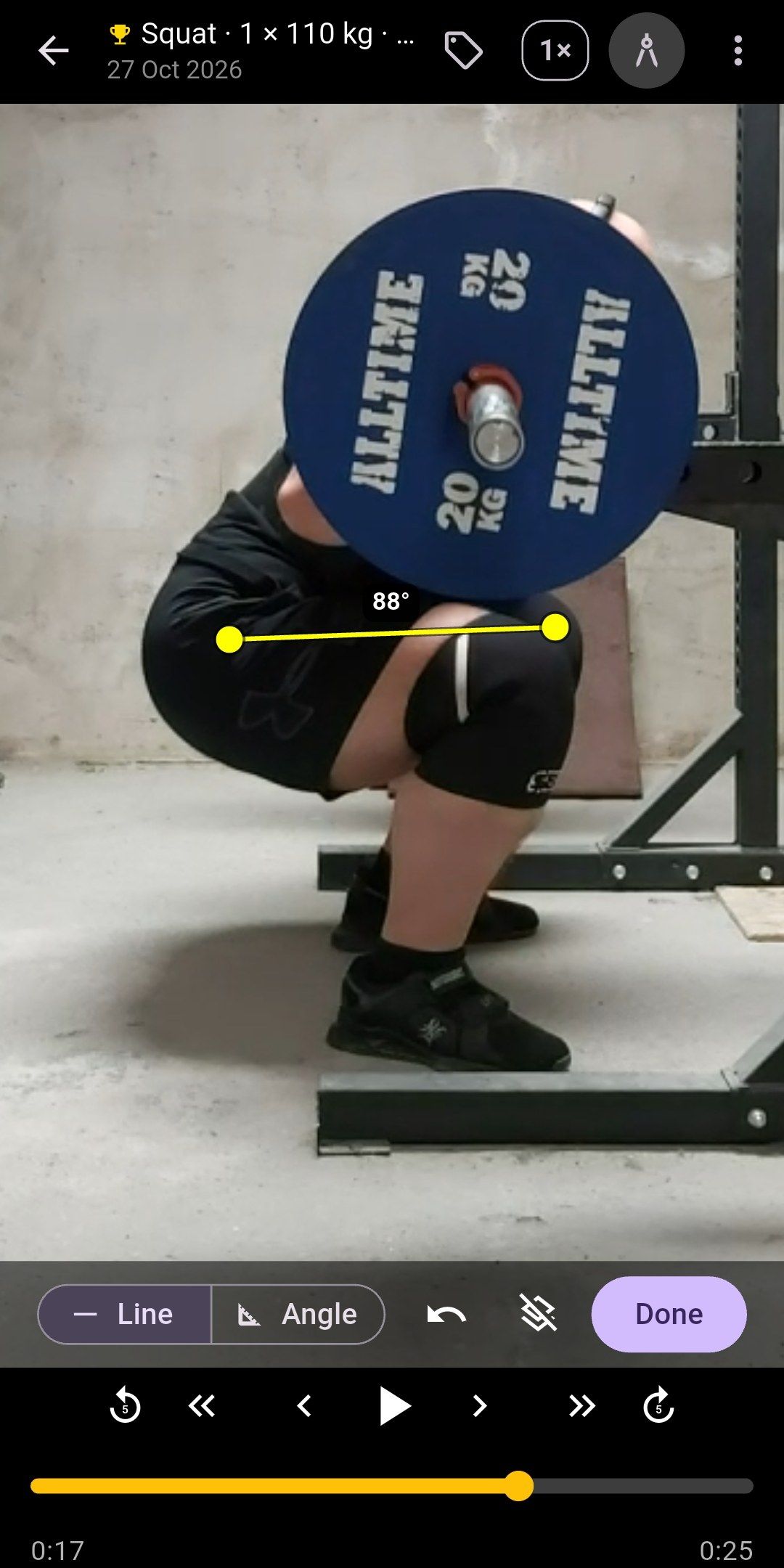
- Step frame by frame, jump 1 or 5 seconds, or scrub. The clip stays paused where you stop.
- Pinch to zoom up to 6× to check depth, lockout or bar path.
- Guide lines and angles (Pro). Draw a line to read its angle from vertical, or tap three points for a joint angle. They are kept on the picture, so zoom in, draw more, zoom out: everything stays put.
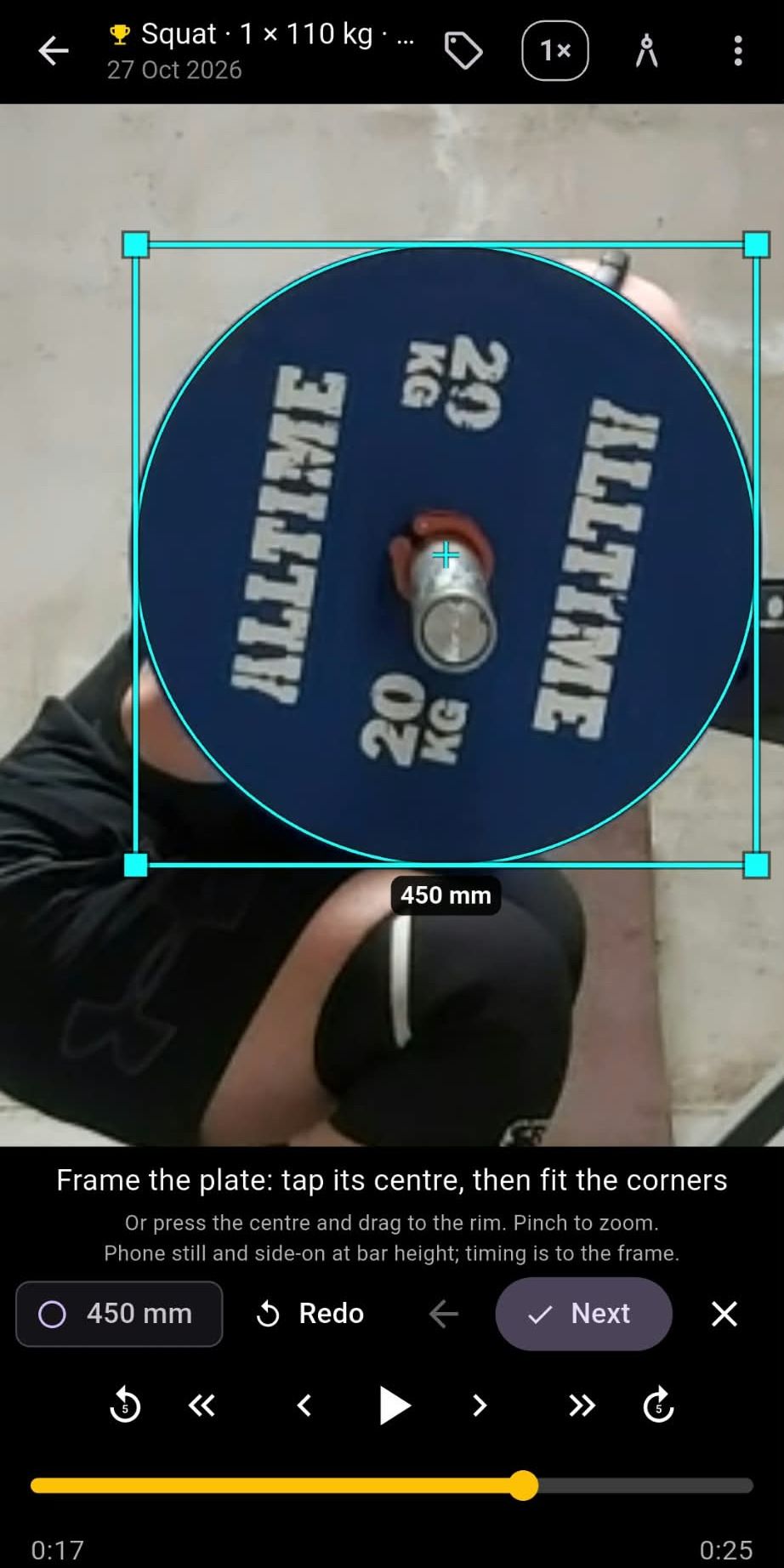
- Bar speed (Pro). Frame a plate, mark the bottom of the rep and lockout, and read the rep’s mean velocity. See below.
- Slow motion (Pro) at ½× or ¼×, with frame stepping still exact.
- Play landscape clips full screen.
- Trim off the walk-out and re-rack. By default the trimmed part is saved as a new clip and the original is kept. You can choose to replace the original instead, and the app asks before it overwrites anything.
- Share a clip, or share it with its set details: exercise, weight, reps, RPE and date burned into the picture, in slow motion if you like, with a small Lift Recorder wordmark. Pro can leave the wordmark off.
- Long-press in the grid to select and delete several clips at once.
Bar speed · Pro
How fast did that rep move?
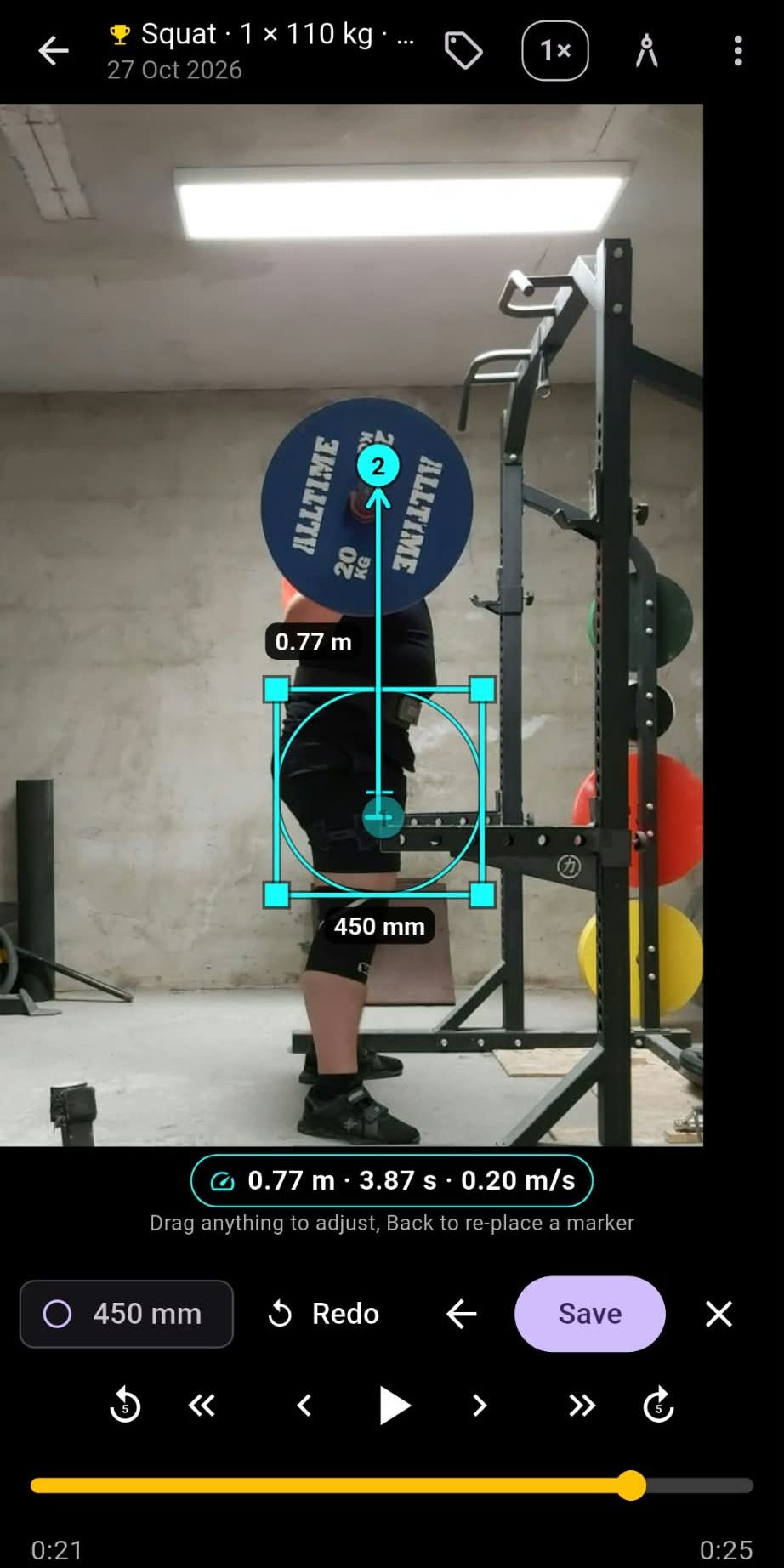
Mean concentric velocity, measured on the clip you already filmed. No sensor on the bar and nothing uploaded: frame a plate so the app knows the scale, mark the bar at the bottom of the rep and at lockout, and read the rep’s vertical displacement, time and mean velocity.
- Three confirmed steps. Tap the plate’s centre and fit the frame’s corners, pinching in on the rim; step to the bottom of the rep and tap the bar; step to lockout and tap again. Next confirms each step, Back revisits one, and every handle drags.
- Saved on the clip. The velocity shows on the clip’s tile, in the session log and in the CSV export, next to the weight and reps it belongs to.
- Know the limits. Film from the side at bar height with the phone still. Timing is to the frame, about 3% on a one-second rep at 30 fps, and the plate frame is the scale, so fit it with care. It measures what the camera saw: vertical bar travel, not bar path.
A load-velocity profile from your own sets
Measure a few sets at different weights and the Progress screen draws your load-velocity line and estimates your one-rep max where it meets the lift’s minimum velocity: 0.30 m/s for squat, 0.15 for bench press and deadlift. It sits beside the Epley estimate, so you can compare the two, and bar speed is a metric on the progress chart like top set and volume.
Side by side · Pro
This month’s squat next to last month’s
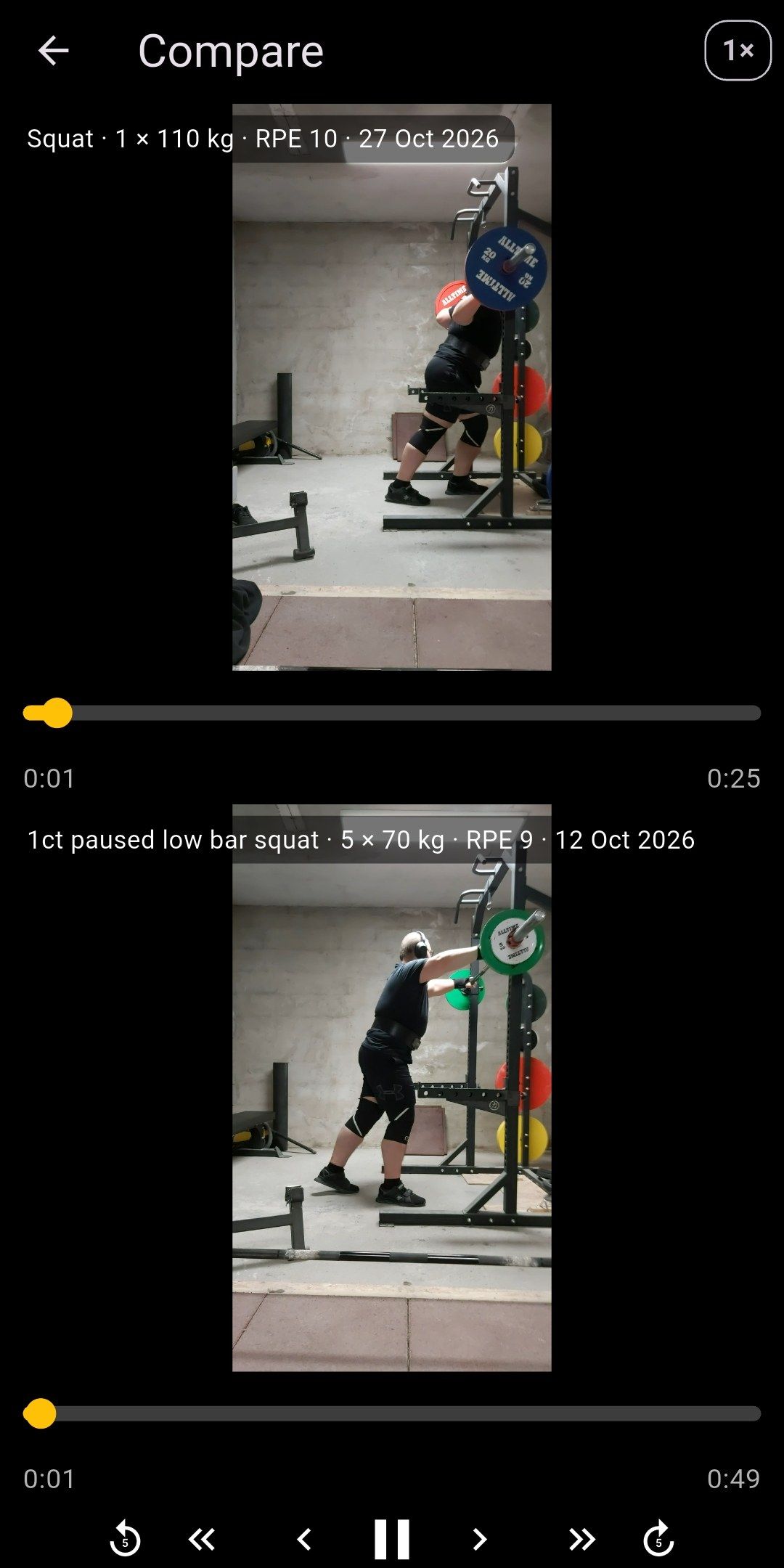
Pick two clips in the grid and play them together. One set of controls steps both of them frame by frame, and each clip keeps its own scrub bar, so you line up the start of the rep once and the offset holds from then on.
- Slow motion on both, at ½× or ¼×.
- Turn the phone and the two clips sit side by side.
- Each clip is labelled with its set and date, so you always know which is which.
Camera
A camera that stays out of the way
Privacy
No account. No servers.
There is nothing to sign up for. Lift Recorder has no servers and never sends your videos, sound, tags or records anywhere. Clips go to your phone’s gallery. Tags and records stay in the app’s private storage on your phone, which Android’s own backup can include if you have backup turned on, and Lift Recorder Pro can back them up to a file you keep.
The free version shows ads from Google AdMob, which collects some device and usage data to show and measure them. The privacy policy explains exactly what.
Read the privacy policyPrice
Free, with a one-time Pro upgrade
Free version
Free
Recording, tagging, personal records, filters, trimming and sharing a clip with its set details are free. A small banner ad shows on the idle camera, the clips grid and Settings, never while you record or watch a clip.
Lift Recorder Pro · one-time purchase
Pro
One in-app purchase removes the ads for good and unlocks bar speed with a load-velocity profile, progress charts, the session log, percentage tables, notes, export and backup, slow motion, guide lines and angles, side-by-side compare, accent colours and shares without the wordmark. No subscription, and Pro comes back on a new phone signed in to the same Google account (or tap Restore purchase).

Facts
Lift Recorder at a glance
- What it is
- A free Android gym camera that keeps your music playing by default, and lets you tag each set with the exercise, weight, reps and RPE.
- Platform
- Android 7.0 or newer, on Google Play. There is no iPhone version.
- Price
- Free, with a small banner ad. Lift Recorder Pro, a one-time in-app purchase, removes the ads and adds bar speed with a load-velocity profile, progress charts, a session log, percentage tables, notes, export and backup, slow motion, guide lines, side-by-side compare and accent colours. No subscription.
- Account
- None. No sign-up and no login.
- Where clips go
- Your phone’s gallery, in an album you name.
- Sound
- Off by default, with the microphone closed. When you turn it on, some phones pause or lower your music while recording.
- Your data
- Tags and records stay in the app on your phone (Android’s own backup can include them). The app has no servers. Google AdMob collects ad data (see the privacy policy).
- Language
- English.
- Developer
- Bálint Neuhausz, Hungary.
- Current version
- 1.3.0. First released in August 2026.
- Last updated
FAQ
Frequently asked questions
Is there a camera app that doesn’t pause Spotify on Android?
Yes: Lift Recorder, a free Android camera for filming workouts, records with sound off by default, so the microphone stays closed and Spotify keeps playing. The same goes for YouTube Music, podcasts and audiobooks.
Why does recording video stop my music?
Recording with sound opens the microphone, and the camera app typically asks Android for audio focus, which makes music apps pause or turn down. Lift Recorder records with sound off by default: the microphone stays closed and the app never asks for audio focus, so Android has no reason to pause your music. With sound on, some phones pause or lower it.
How do I film my lifts without stopping my playlist?
Film them with Lift Recorder, a free Android app that records with sound off by default, so your playlist keeps playing. An optional silent countdown gives you time to get into position.
Can Lift Recorder record sound?
Yes, Lift Recorder can record sound, but only after you turn it on with the mic button on the camera or in Settings. With sound on, the microphone is open while you record, and on some phones that pauses or lowers your music.
Can I log weight, reps and RPE with my lift videos?
Yes, Lift Recorder tags each clip with the exercise, weight, reps and RPE you set on the Next set chip before the set, and the tag carries over until you change it. You can also add or fix a tag afterwards.
How does Lift Recorder decide what counts as a personal record?
Lift Recorder puts a gold trophy on every set that no other set beats: nothing at least as heavy for at least as many reps. For an exact repeat, the first set keeps it, and a set needs an exercise, a weight and reps to count.
Does Lift Recorder upload my videos?
No, Lift Recorder has no servers and never sends your videos, sound, tags or records anywhere. Clips are saved to your phone’s gallery. The ads, served by Google AdMob, collect some device and usage data, as the privacy policy explains.
Where does Lift Recorder keep my tags and records?
Lift Recorder keeps tags and records in its private storage on your phone, not in the video files, so sharing a clip doesn’t share its tag. Android’s own backup can include them, and clearing the app’s storage or uninstalling it deletes them. Lift Recorder Pro can also back them up to a file and restore that file on a new phone.
Is Lift Recorder free?
Yes. Recording, tagging, personal records, filters, trimming and sharing a clip with its set details are free, with a small banner ad on the idle camera, the clips grid and Settings, never while you record or watch a clip. Lift Recorder Pro is a one-time in-app purchase, not a subscription: it removes the ads and adds bar speed with a load-velocity profile, progress charts, a session log, percentage tables, notes, export and backup, slow motion, guide lines and angles, side-by-side compare and accent colours.
Can I see my progress over time?
Yes, with Lift Recorder Pro. The Progress screen draws a chart per exercise from your tags: your top set, your estimated one-rep max, your volume or your bar speed over time, with the set behind every point. Without Pro you see the last 30 days. Every personal record also shows an estimated one-rep max, Pro adds a 50–100% table per exercise, and measured bar speeds give a load-velocity profile with its own one-rep max estimate.
Can I compare two lifts side by side?
Yes, with Lift Recorder Pro. Select two clips in the grid and open Compare: one set of controls plays and frame-steps both clips, each clip keeps its own scrub bar so you can line up the start of the rep, and slow motion applies to both. Turn the phone and they sit side by side.
Can Lift Recorder measure bar speed?
Yes, with Lift Recorder Pro, from the video alone. In the player, frame a plate so the app knows the scale, step to the bottom of the rep and tap the bar, step to lockout and tap again, and the app gives the rep’s vertical displacement, time and mean velocity. Saved on the clip, it shows on the tile, in the session log and in the CSV export, and a few measured sets at different weights give a load-velocity profile with an estimated one-rep max. Film from the side at bar height with the phone still; timing is to the frame.
Can I export my training data from Lift Recorder?
Yes, with Lift Recorder Pro. Settings › Your data exports your sets and your records as CSV files through the Android share sheet, for a spreadsheet or a coach, and makes a backup file of your tags, notes, records and exercises that you can restore on a new phone. The videos stay in your gallery; nothing is uploaded.
Do I need an account to use Lift Recorder?
No, Lift Recorder has no sign-up, login or profile. Open it and start recording.
Is Lift Recorder on iPhone?
No, Lift Recorder is available only for Android, on Google Play, and needs Android 7.0 or newer.
Can I trim a clip without losing the original?
Yes, by default Lift Recorder saves the trimmed part as a new clip and keeps the original. You can switch to replacing the original instead, and the app asks for confirmation before it overwrites anything.

Point it at the rack. Tag the set. Keep your music.
- Free
- Android 7.0 or newer
- No account
- No servers